Trocar porta do postgreSQL
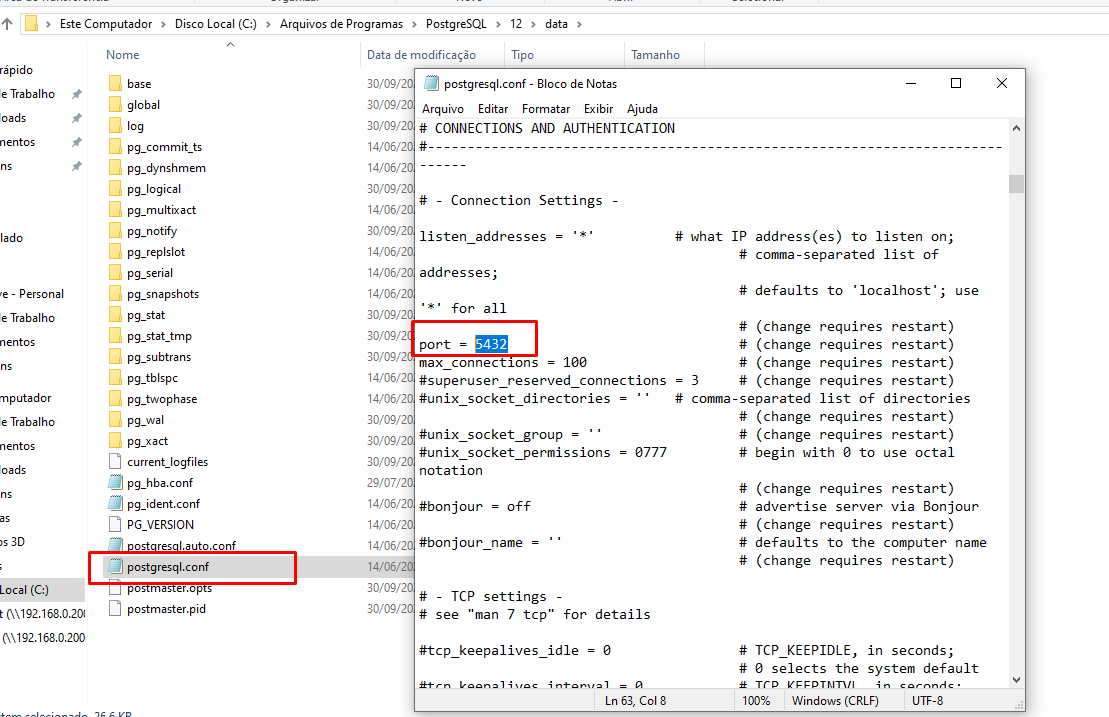
1. Trocar na pasta do PosgreSQL (C:\Arquivos de Programas\postgresql\12\data)
Arquivo postgresql.conf, trocar o campo port =
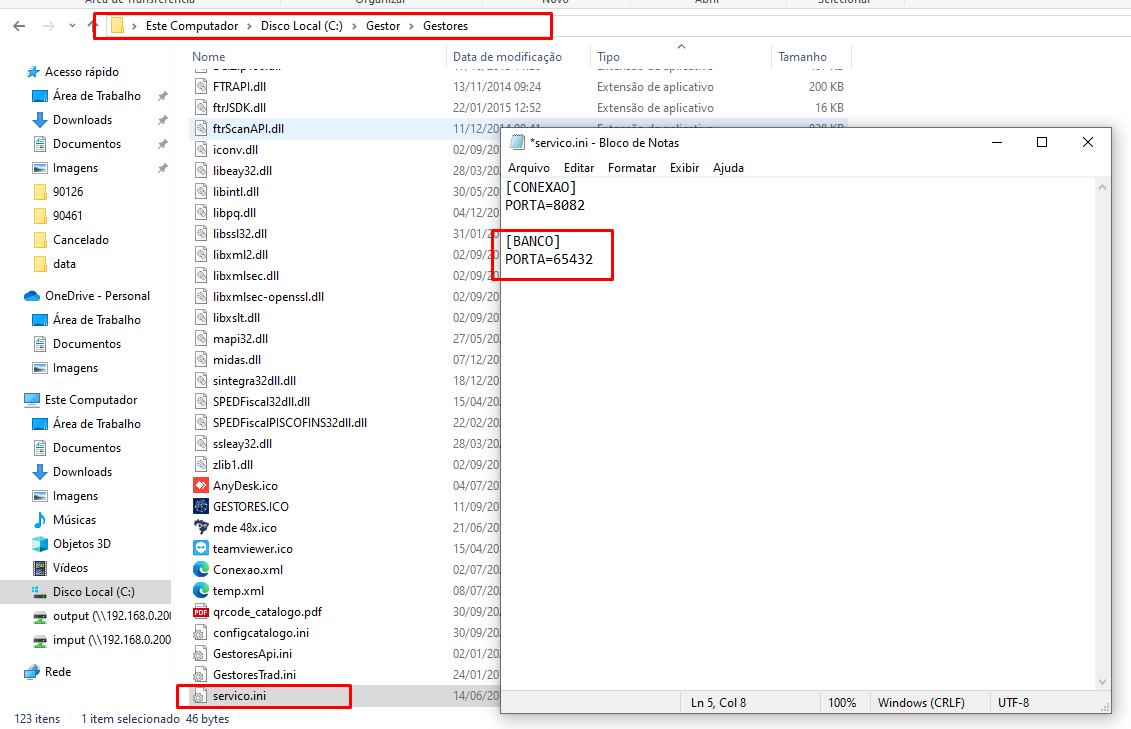
2.Trocar a porta do [BANCO] PORTA =
C:\Gestor\Gestores\serviços.ini
3.Trocar a porta do [BANCO] PORTA =
C:\Gestor\Gestores\gestoresApi.ini

4.Trocar a porta [NUM] POR = " "
C:\Gestor\Gestores\conexao.xml

5.GestorPDV
C:\Gestor\GestorPDV\conexao.xml

6.GestorPDV
C:\Gestor\GestorPDV\PostgreSQL_Balcao_conn.txt

PostgreSQL_PDV_conn.txt
7.GestorPDV
C:\Gestor\GestorPDV\PostgreSQL_PDV_conn.txt

8.SincData
C:\Gestor\GestorPDV\SincData.xml

9.PgAdmin
Trocar a porta de conexão do PgAdmin

10.Maestro
Vai em Propriedades e troca a Porta

